Forum Activity for @brian

brian
@brian
03/07/15 06:24:28AM
10,167 posts

configurable jamroom binary executable


Jamroom Developers

This is already supported. So for example, if you want to override Jamroom's ffmpeg binary and use your own, in your data/config/config.php add this line:

$_conf['jrCore_ffmpeg_binary'] = '/usr/local/bin/ffmpeg';

Of course change the path to your ffmpeg binary. Works the same for other JR binaries.

I develop on OS X and here is the stuff I added to my daya/config/config.php file:

$_conf['jrCore_ffmpeg_binary'] = '/usr/local/bin/ffmpeg';
$_conf['jrCore_diff_binary'] = '/usr/bin/diff';
$_conf['jrAudio_sox_binary'] = '/usr/local/bin/sox';
$_conf['jrAudio_id3v2_binary'] = '/usr/local/bin/id3v2';
$_conf['jrImage_convert_binary'] = '/usr/local/bin/convert';

Hope this helps!
brian
@brian
03/06/15 03:08:22PM
10,167 posts

Jamroom Hosting is now live for everyone!


Jamroom Hosting

perrie:Thanks. I was looking through all the documentation and couldn't find it. Glad to know that I'm not that dumb.

Yeah we don't document that since it's not really related to Jamroom - it's just a internet "standard" way to transfer files. The page Michael linked to explains how it works.
brian
@brian
03/06/15 02:57:35PM
10,167 posts

Jamroom Hosting is now live for everyone!


Jamroom Hosting

perrie:Not a clue. I'm really sorry.

OK... we don't really have documentation on how to use FTP or SFTP, so I'm not sure how to help you right at this moment.

Can you contact us at support [at] jamroom [dot] net? We can try to help you out directly

Thanks!
brian
@brian
03/06/15 02:47:20PM
10,167 posts

Jamroom Hosting is now live for everyone!


Jamroom Hosting

Do you know how to use FTP and have an FTP client?
brian
@brian
03/06/15 02:15:01PM
10,167 posts

Jamroom Hosting is now live for everyone!


Jamroom Hosting

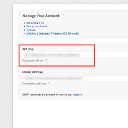
Yeah that is wrong - all you need to do is log into Mailgun and it will be right there on your left - see my screenshot.
Voila_Capture 2015-03-06_02-14-00_PM.jpg Voila_Capture 2015-03-06_02-14-00_PM.jpg - 61KB

updated by @brian: 03/06/15 02:15:11PM
brian
@brian
03/06/15 02:10:26PM
10,167 posts

Jamroom Hosting is now live for everyone!


Jamroom Hosting

perrie:Now I keep getting a message my API key does not seem to be correct.

Make sure you are entering the API key as it is shown to you when you log in to Mailgun. It will be in the format:

key-xxxxxxx

where xxxxxxx is a long string of numbers and letters.
brian
@brian
03/06/15 01:48:52PM
10,167 posts

Jamroom Hosting is now live for everyone!


Jamroom Hosting

I just checked your server - all you need to do is add your Mailgun API key and save the changes. Just go here:

https://www.jamroom.net/perrie/hosting/server_settings/34

and click on the CLICK HERE in the yellow part.
brian
@brian
03/06/15 01:47:33PM
10,167 posts

Jamroom Hosting is now live for everyone!


Jamroom Hosting

perrie:OK so I am probably the first member here to do this from scratch so I have a few questions.
I have tired to set up my Mailgun, did the first part.. seemed OK. Then I get to the verification part and I am lost. I am assuming that Jamroom is my DNS provider, since I am using their server. But on the information generated from Jamroom I don't have TXT records,a C name, and I am not sure about the MX record either. When I go to the next page, I see that the IP address that Jamroom provided, does not match the one that mailgun has. I don't know how to proceed.
And obviously, I can't even start to upload my NIng download without all this, right?

Once you enter your Mailgun API key into the JR hosting CP and save it, that is all you have to do - you don't have to worry about any of the settings for Mailgun - our API will take care of it for you:

https://www.jamroom.net/the-jamroom-network/documentation/jamroom-hosting/2537/setting-up-mailgun-for-email-delivery

So you should be good to go!
brian
@brian
03/06/15 09:45:45AM
10,167 posts

Modifying create button url


Jamroom Developers

SteveX:Works perfectly :)

Thanks

Glad to hear it Steve - thanks!
  413
