Locking Group discussions?
Using Jamroom
Ok, I tied to do all that, but now I see the (unclickable) words "discussion locked" at the bottom of EVERY group discussion. And no checkbox. And the discussions are NOT locked anyway.
Obviously I'm doing something wrong.
Here's my jrComment comment_)form template now after I guessed where to put it:
<a id="{$jrComment.unique_id}_cm_section"></a>
<a id="comment_section"></a>

<div id="{$jrComment.unique_id}_comments" class="comment_page_section">

    {* see if profile owners can delete *}
    {assign var="profile_owner_id" value=0}
    {if $_user.user_active_profile_id == $_item._profile_id && $_item.quota_jrComment_profile_delete == 'on'}
        {assign var="profile_owner_id" value=$_item._profile_id}
    {/if}

    {if $jrComment.pagebreak > 0}
        {jrCore_list module="jrComment" search1="comment_module = `$jrComment.module`" search2="comment_item_id = `$jrComment.item_id`" order_by="_item_id `$_conf.jrComment_direction`" profile_owner_id=$profile_owner_id pagebreak=$_conf.jrComment_pagebreak page=1 pager=true pager_template="comment_pager.tpl"}
    {else}
        {jrCore_list module="jrComment" search1="comment_module = `$jrComment.module`" search2="comment_item_id = `$jrComment.item_id`" order_by="_item_id `$_conf.jrComment_direction`" limit="500" profile_owner_id=$profile_owner_id}
    {/if}

</div>

{if jrUser_is_logged_in() && $_user.quota_jrComment_allowed == 'on'}

    <div id="comment_form_holder">
    <div id="comment_form_section">

        <div id="{$jrComment.unique_id}_cm_notice" class="item error" style="display:none;">
            {* any comment error loads here *}
        </div>

        {if $_conf.jrComment_threading == 'on' && $_conf.jrComment_editor == 'on'}
        <div id="comment_reply_to" class="item success" style="display:none;">
            {* small note about how you are replying to when editor is enabled *}
            {jrCore_lang module="jrComment" id=18 default="Your Reply To:"} <strong><span id="comment_reply_to_user"></span></strong>
        </div>
        {/if}

        <div class="item" style="display:table">
            <div style="display:table-row">
                <div class="p5" style="display:table-cell;width:5%;vertical-align:top;">
                    {jrCore_module_function function="jrImage_display" module="jrUser" type="user_image" item_id=$_user._user_id size="small" alt=$item.user_name class="action_item_user_img iloutline" _v=$_user.user_image_time}
                </div>
                <div class="p5" style="display:table-cell;width:95%;padding:5px 12px;">

                    <a id="cform"></a>
                    <form id="{$jrComment.unique_id}_form" action="{$jamroom_url}/comment/comment_save" method="POST" onsubmit="jrPostComment('#{$jrComment.unique_id}', 'undefined', 5000, '{$_conf.jrComment_editor}');return false">

                        <input type="hidden" id="{$jrComment.unique_id}_cm_module" name="comment_module" value="{$jrComment.module}">
                        <input type="hidden" id="{$jrComment.unique_id}_cm_profile_id" name="comment_profile_id" value="{$jrComment.profile_id}">
                        <input type="hidden" id="{$jrComment.unique_id}_cm_item_id" name="comment_item_id" value="{$jrComment.item_id}">
                        <input type="hidden" id="{$jrComment.unique_id}_cm_order_by" name="comment_order_by" value="{$_conf.jrComment_direction}">
                        <input type="hidden" id="comment_parent_id" name="comment_parent_id" value="0">

                        {if isset($_conf.jrComment_editor) && $_conf.jrComment_editor == 'on'}
                            {jrCore_editor_field name="comment_text"}
                        {else}
                            <textarea id="comment_text" name="comment_text" cols="40" rows="5" class="form_textarea {$jrComment.class}" style="height:64px;width:98%;{$jrComment.style}"></textarea><br>
                        {/if}
                        <div style="vertical-align:middle">
                            {jrCore_lang module="jrCore" id="73" default="working..." assign="working"}
                            {jrCore_image image="form_spinner.gif" id="`$jrComment.unique_id`_fsi" width="24" height="24" alt=$working style="margin:8px 8px 0px 8px;display:none"}<input id="{$jrComment.unique_id}_cm_submit" type="submit" value="{jrCore_lang module="jrComment" id="2" default="Save Comment"}" class="form_button {$jrComment.class}" style="margin-top:8px;{$jrComment.style}">
                        </div>

                        {if $_user.quota_jrComment_attachments == 'on'}
                        <div class="jrcomment_upload_attachment">
                            {jrCore_upload_button module="jrComment" field="comment_file" allowed="`$_user.quota_jrComment_allowed_file_types`" multiple="true"}
                        </div>
                        {/if}

                    </form>

                </div>
            </div>
        </div>
    </div>
    </div>

    {if $jrComment.module == 'jrGroupDiscuss' && $jrComment.discuss_locked != 'off'}
        Discussion Locked
    {else}
        Show comment form
    {/if}

{elseif jrUser_is_logged_in() === false}

    {jrCore_module_url module="jrUser" assign="url"}
    <div class="item"><div class="p5"><a href="{$jamroom_url}/{$url}/login">{jrCore_lang module="jrComment" id="16" default="You must be logged in to post a comment"}</a></div></div>

{/if}
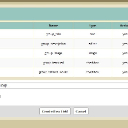
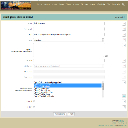
and attached is the form field I added first...did I do the settings correctly?
updated by @strumelia: 09/16/15 01:24:46PM