Forum Activity for @strumelia

Strumelia
@strumelia
02/12/17 04:19:42PM
3,605 posts

bad link when simply pasting an url into a post


Using Jamroom

It was an url to a forum's page that shows all discussions sorted by 'newest/latest'. That's why you see lots of discussions there. Do you need a simpler url that does the diamond thing? (yes, i do understand what you explained about the diamonds)
updated by @strumelia: 02/12/17 04:20:45PM
Strumelia
@strumelia
02/12/17 04:15:19PM
3,605 posts

bad link when simply pasting an url into a post


Using Jamroom

Hmm, does it do the diamond thing here after a colon and space: http://everythingdulcimer.com/discuss/search.php?search_id=newposts

...No, not doing it, and the link works fine. BUT...it did put the url on a new linebreak i notice. Even though I pasted the url in midsentence, after a space (I didn't hit enter to line break).
updated by @strumelia: 02/12/17 04:16:59PM
Strumelia
@strumelia
02/12/17 04:14:22PM
3,605 posts

bad link when simply pasting an url into a post


Using Jamroom

the main site in question is: http://everythingdulcimer.com/discuss/index.php
domain is: everythingdulcimer.com
Strumelia
@strumelia
02/12/17 04:11:00PM
3,605 posts

bad link when simply pasting an url into a post


Using Jamroom

But.. if we both just now cut and pasted the exact same url from the same site, then why do I get the diamonds on my jr site and you don't get them here?

and... how come it doesn't happen if I paste the url in at the beginning of a line break?...but does happen with the exact same pasted url after a space?
updated by @strumelia: 02/12/17 04:12:49PM
Strumelia
@strumelia
02/12/17 03:32:59PM
3,605 posts

bad link when simply pasting an url into a post


Using Jamroom

I'm noticing something happening in all posts when using the Editor (comments, group discussions, and forum discussions). Happens on both my sites, and in Chrome and FF.
This happens when NOT using any editor buttons to add a link, --only happens when a member is pasting an url into their post directly.
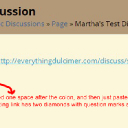
Ones types normally, then types a space and then pastes an URL in. The result is a hotlink that you can click but it takes you back to simply the refreshed page. It also inserts these two weird diamond shapes with question marks in them instead of the space. (SEE SCREENSHOT) This is what the post's code would look like (as an example):
<p>test- http://everythingdulcimer.com/discuss/search.php?search_id=newposts</p>

Note that if you paste in the same url at the start of a new line (after hitting enter while typing), the hotlink is functional and works correctly. In that instance, the post's code looks something like this instead, and looks normal:
<p>test</p>
<p>http://everythingdulcimer.com/discuss/search.php?search_id=newposts</p>


diamondLink.jpg diamondLink.jpg - 173KB

updated by @strumelia: 05/16/17 06:55:15PM
Strumelia
@strumelia
02/12/17 12:39:23PM
3,605 posts

Adjusting Forum email notification


Using Jamroom

Wow thanks for such a speedy fix! :D

Later this evening I'll start a thread for what i 'think' is the last of the refinements I've persued since reversing the forum post order on my site....
many thanks!
Strumelia
@strumelia
02/12/17 08:36:55AM
3,605 posts

Adjusting Forum email notification


Using Jamroom

Hi,
I use the 'profile forum' setup on my site, and the jrForum module.
Recently we were given the setting choice of reversing the order of Forum posts, so that the newest are on top, and that's what I switched to. I really like it ordered this way (especially good for mobile users) but it means there are a couple 'bumps' I need to resolve to make things smooth while having newest posts first/top.
Here is one little thing, can you advise me how to change the code here please?:

In my jrForum module templates, the email_topic_updated_message.tpl LINK takes people to (for example) page 18 of a long thread, as in this example:
---------------
A forum topic you are following has had a new post:
member: Anne Maguire
posted in: Show Us Your Pets!
- Do NOT hit "Reply" to this email. -
To see and respond to the new post,
Click this link: http://fotmd.com/forums/forum/off-topic-discussions/11944/show-us-your-pets/p=18
---------------------
Now with the forum post order reversed, page 18 contains the threads OLDEST posts, so the member has to figure out to use the pager to navigate to page 1 which is where the newest post is. This has been extremely confusing for members (and shouldn't be a two-step process for them anyway).

The problem (as I see it) is that the above emailnotification template says this:
To see and respond to the new post,
Click this link: {$forum_topic_url}

The notification link is sending them to the discussion 'topic page' which now contains the OLDEST posts, not the new post they're being notified about.

Since I've reversed my forum posts to be newest-to-oldest, how do I now change this email notification link code to send people to the latest/newest post, or at least to the page with the newest posts, (or maybe simply to "page 1"?), of the forum discussion?

Thanks for any help!

updated by @strumelia: 05/15/17 06:47:08PM
Strumelia
@strumelia
02/10/17 01:17:56PM
3,605 posts

How to set default profile index?


Design and Skin Customization

I'm thinking maybe Zach means the selection for the 'signup redirect page' and/or the 'login redirect page'... as found in Users>quota config.
Strumelia
@strumelia
02/10/17 09:07:09AM
3,605 posts

LOVE the new Profile Browser DISK SPACE tool!!


Using Jamroom

It does feel like a commercial, doesn't it? But really, I post both when I think we need some feature improved in some way...and also when I'm thrilled with some feature. I don't think this new tool was even announced- I just stumbled upon it after a recent update and was excited about how useful it is. Wanted to let other users know about it because we can all now reclaim wasted server space by zeroing in much better on unneeded content . :D Woo-hooo!
Strumelia
@strumelia
02/08/17 08:12:02AM
3,605 posts

Will Jamroom work on Cloud based host and SSL Certificate


Jamroom Hosting

It's a great thing that we can put as many JR sites as we want on a JR hosted server. I too at first assumed incorrectly that the arrangement is one site per server.
Luis, I have two JR sites on my jr hosted server, and at one time when I was cloning a site, I temporarily had a little too much content for my server size. I temporarily increased my JR server size to a larger server with the simple click of a button in my server control dashboard on Jamroom. It took about two minutes to effect the change. Then later that day i cleared out the extra content I didn't need, and was able to just click it back to my previous smaller server size by that evening. The JR billing system then billed me only for 1 day at the larger server rate (pro-rated)... so the entire procedure was very inexpensive ...it wound up only costing me a few dollars to use the larger server for one day.
I only tell you this because I was so pleased with how easy, fast, and inexpensive it is to work with my JR servers and the interface they provide. Meanwhile, the JR Team manages and monitors the server for me and makes sure it's always running up to speed with no downtime. I've been 100% pleased with being on JR hosting for over a year now.
  94