JAMROOM

Updating Nameservers so your domain is "live"
-
Update your Nameservers
Once you are ready to go "live" on your real domain, the next step is to update the Nameservers at your Domain registrar (the place where you purchased your domain) to point to the Jamroom Hosting name servers.
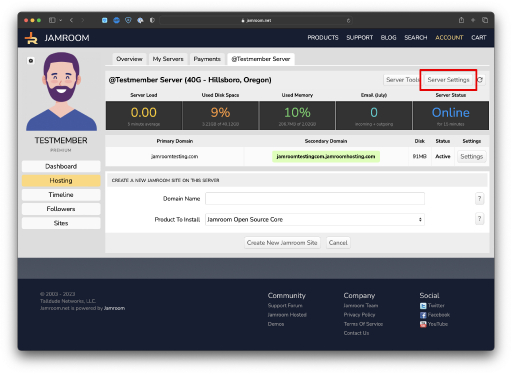
You can find the Nameservers needed in the "Server Settings" section of your server - they are:
ns1.linode.com
ns2.linode.com
ns3.linode.com
ns4.linode.com
ns5.linode.comOnce you have updated the name servers at your Domain registrar it will take from 2 - 24 hours for your domain to go "live" and point at your Jamroom server, so be patient.
Once the domain is "live" you can switch from the secondary to the primary domain.
-
It will take from 2 to 24 hours after you have updated nameservers at your domain registrar before your domain will point to Jamroom Hosting, so give it time to propagate.
-
How to set the Nameservers at your Domain Registrar
Godaddy:
https://www.godaddy.com/help/set-custom-nameservers-for-domains-registered-with-us-12317For other domain registrars, you will want to check out their documentation or contact them for help with setting your nameservers.