JAMROOM

Downloading your site data from your Jamroom server
Table of Contents:
Step 1: Use SFTP to download your Jamroom files
Step 2: Export your Database using the Developer Tools
-
Step 1: Use SFTP to download your Jamroom files
The first step to download all your Jamroom data from your Jamroom server is to log in to your site using an SFTP Client. To learn more about connecting to your server using SFTP make sure and check out the Connecting to your server using SFTP.
Once you have connected to your site in your SFTP client, you will see that each Jamroom site is organized by domain - i.e.
sites/domain1.com
sites/domain2.comTo download the data for your site just highlight the domain name and download the entire domain directory. Make sure you have enough local disk space to handle all your data!
-
Step 2: Export your Database using the Developer Tools
The next bit of data we need is to get a dump of your Jamroom MySQL database that you can download. The SQL Database dump will contain all the data stored in your Jamroom Database for the site you are downloading.
To export your Database SQL file do the following:
- Log into your Jamroom Site you want to download as a Master Admin
- Click on "ACP" in your site header to go to the Admin Control Panel
- Click on "Developer" in the module menu
- Click on the "Developer Tools" module in the Developer menu
- Click on the "Database Admin" to open the database admin tool.
Once the Database Admin tool is open in your browser, you can export an SQL dump of your Jamroom site by doing the following:
-
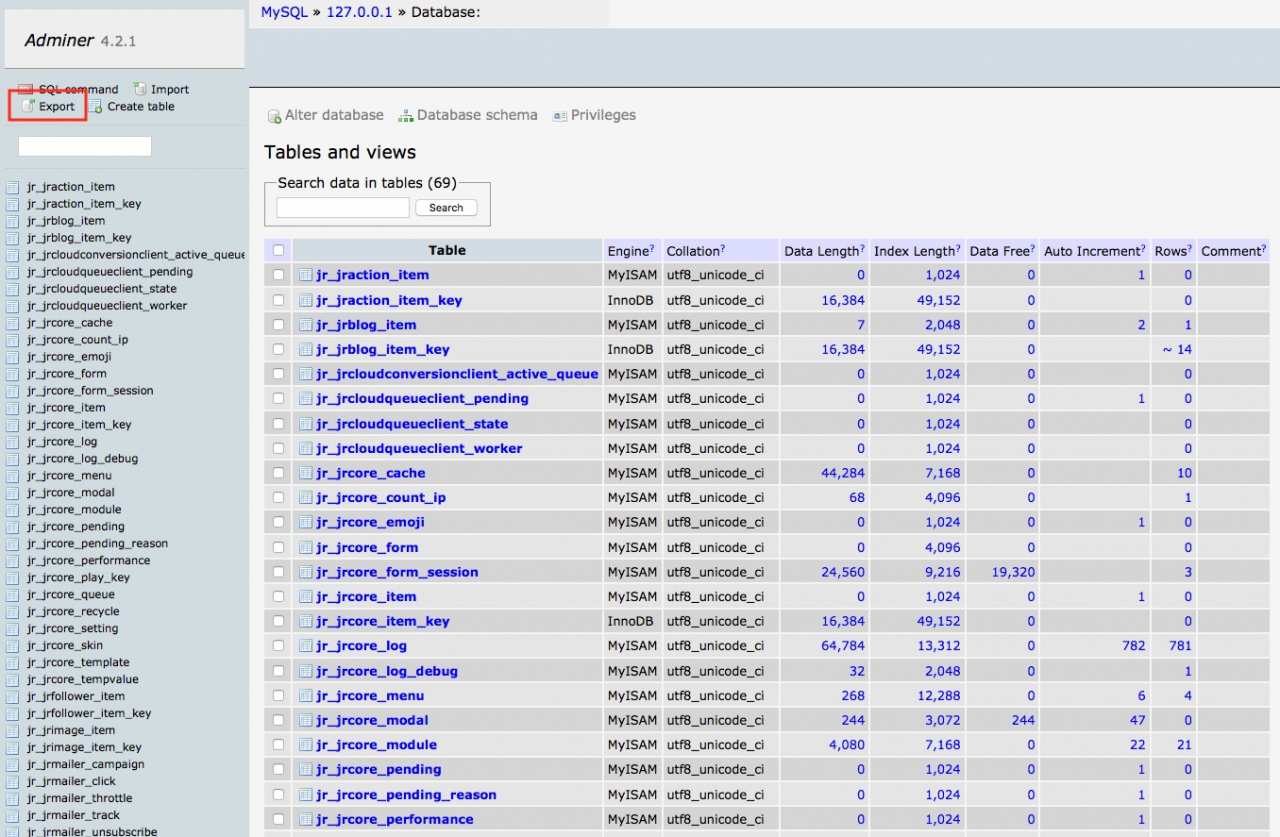
Launch Adminer and click on the "Export" option in the upper left of the screen
-
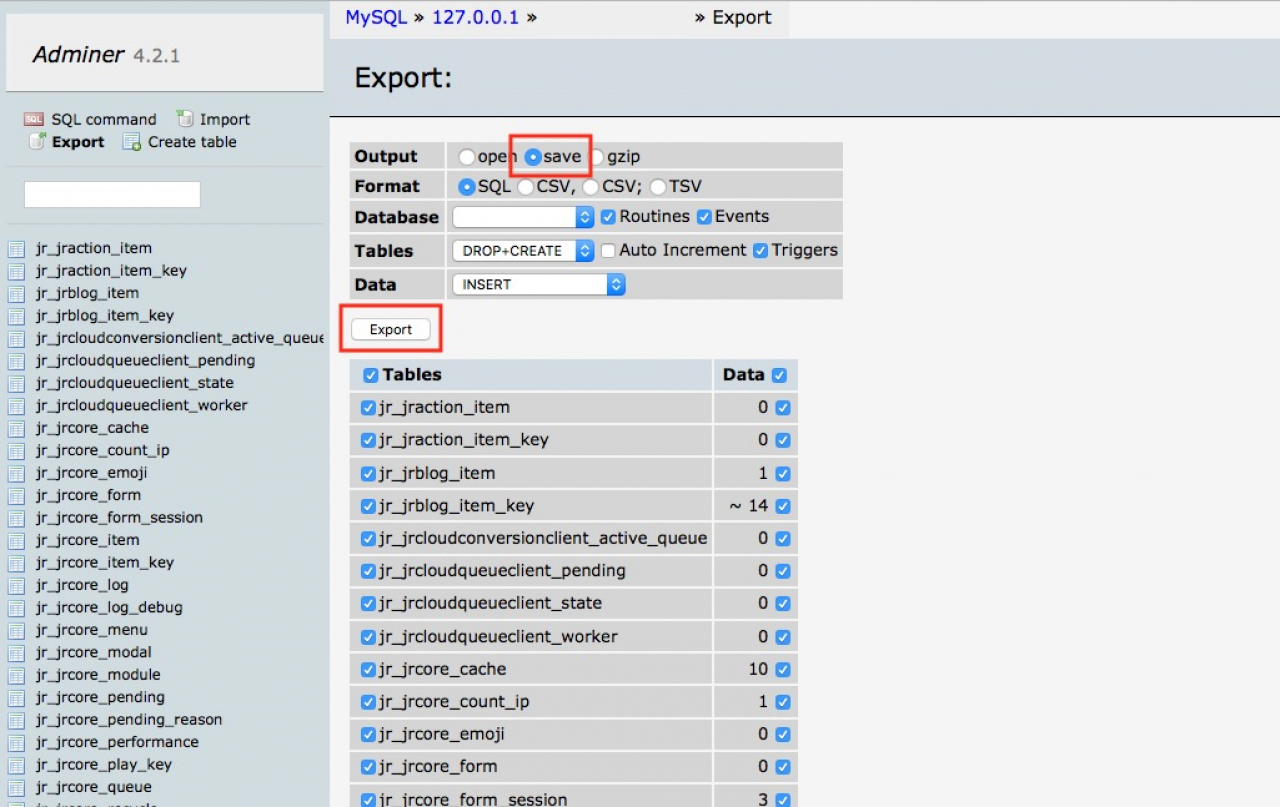
Make sure the "Save" option is checked then click on "Export" - the SQL file for your database will download to your computer.