JAMROOM

Signing Up and Logging In
Applies to: Jamroom 7.0+
Last verified: 2026-10-24
Table of Contents:
Creating an account
Activating your account
Logging in
Forgot your password?
Extra security
-
Creating an account
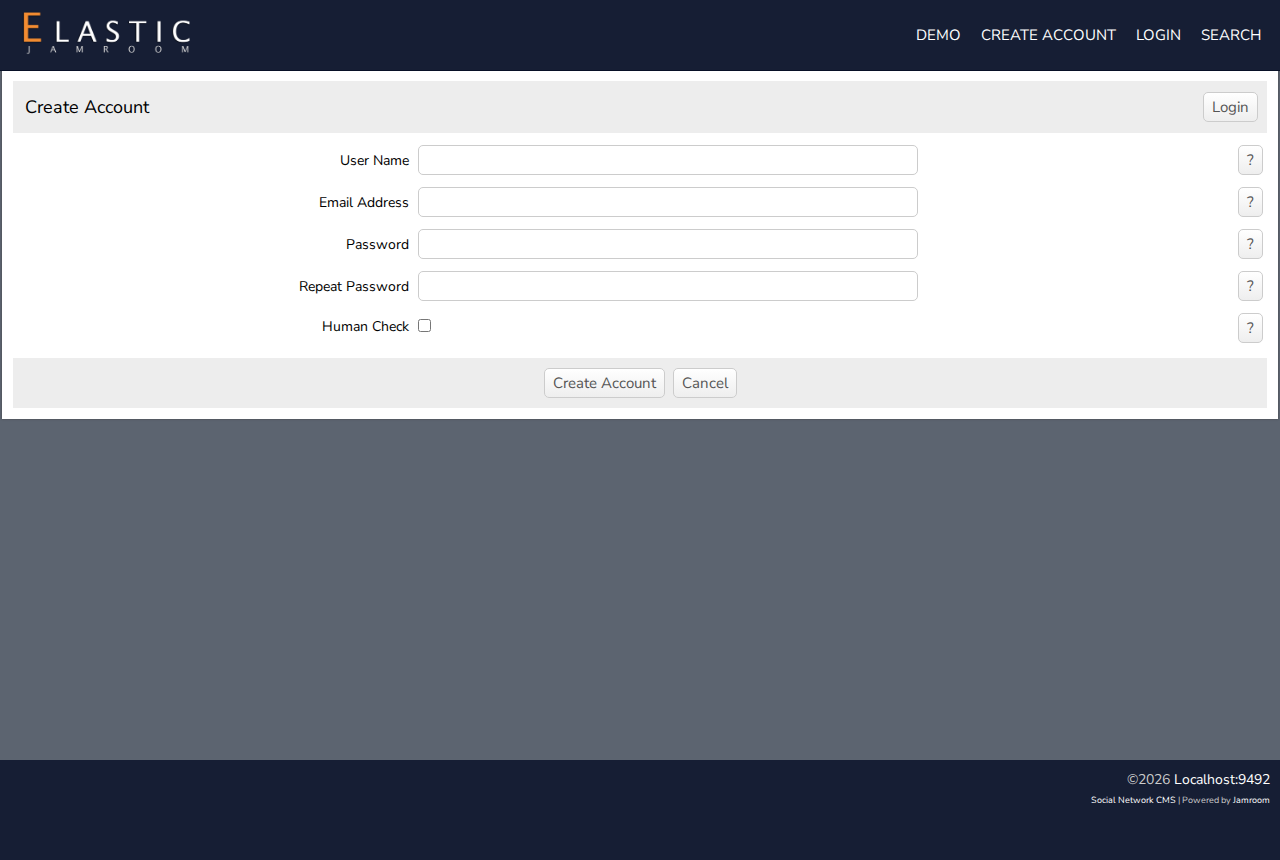
- Click Create Account in the site's menu.
- Enter a User Name, your Email Address, and a Password twice.
- Check Human Check, and click Create Account.
-
-
Activating your account
Most sites then send you an email: you'll see "You're almost done - we have just sent you an activation email!" Click the link in the email. Your account is activated, and you're logged in.
Depending on the site:
- your account may be active straight away, with no email
- or the site's staff may approve each new account first. You get an email when yours is approved.
If the email doesn't come, check your spam folder.
-
Logging in
Click Login, enter your user name or email address and your password. Check remember me to stay logged in on this device.
After you log in, you're taken to your profile, or the page the site chooses.
-
Forgot your password?
On the login page, click Forgot Password?. Enter your email address or user name, and you'll get an email with a link to choose a new password.
-
Extra security
If the site offers it, you can turn on 2 Factor Authentication in your Account Settings. After your password, you then enter a code sent to your email. Some sites require it.