JAMROOM

Using the Template Editor
Applies to: Jamroom 7.0+
Last verified: 2026-10-24
-
The Template Editor
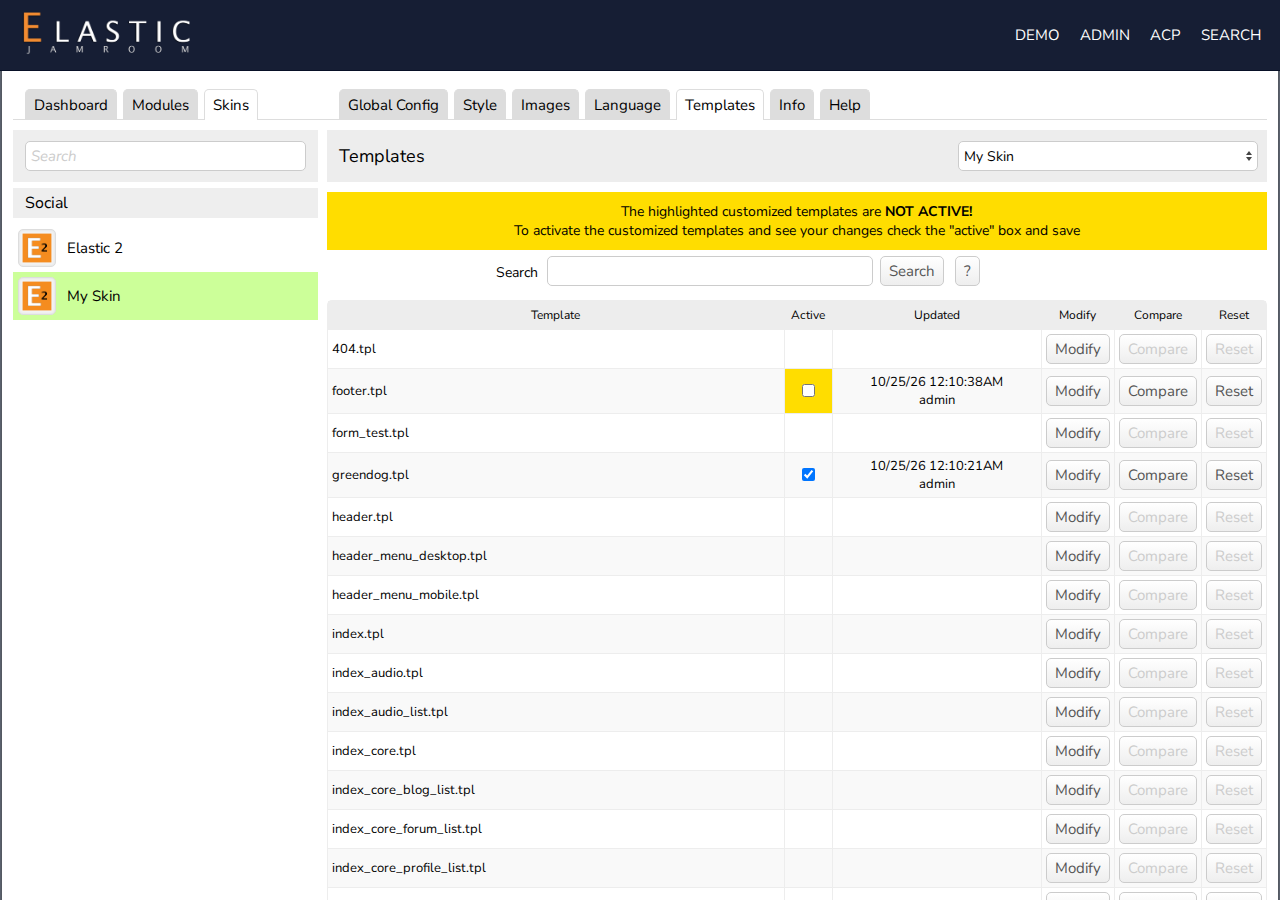
The Template Editor changes a template in your browser, without FTP. Skins have it on the Templates tab (ACP > Skins > (skin) > Templates). Modules have one too, on ACP > Modules > (module) > Templates.
Your changes are saved in the database. The template file isn't changed, so you can always go back to it.
-
Edit a clone, not a Marketplace skin. See Cloning a Skin.
-
Changing a template
- On the Templates tab, find the template. Search finds templates that contain a piece of text.
- Click Modify. The template opens in the editor.
- Make your change, and click Save Changes.
- Click Cancel to go back to the list.
-
Activating your change
A saved change isn't used until you activate it. Back on the list, the notice says "The highlighted customized templates are NOT ACTIVE!", and the Active box of your template is highlighted.
Check Active, and click Save Changes at the bottom of the list. Your change is now on the site.
-
-
Going back
- Uncheck Active and save to use the original file again. Your change is kept.
- Reset deletes your change. The template goes back to the file.
-
Tips
- Templates use Smarty. JavaScript in a template must be wrapped in {literal}.
- For larger changes, edit the files with your own editor and upload them. Changes in files are easier to back up and to share with a developer.
- Run in Developer Mode, in Developer Tools, shows your changes on every page load without clearing caches. Turn it off afterwards.