JAMROOM

Key Concepts
Applies to: Jamroom 7.0+
Last verified: 2026-10-24
Table of Contents:
Five words to know
User accounts and profiles
Quotas
Quota Config: turning a module on for a quota
Modules and skins
Site pages and profile pages
-
Five words to know
Most questions new site owners have come down to five terms:
Term In one line User account The person: login name, email address and password Profile The public page that content is added to Quota A group of profiles with the same features and limits Module A feature, such as Blog, Audio or Forum Skin The look of the whole site Everything is set up in the ACP (Admin Control Panel), which only master admins can open.
-
User accounts and profiles
When someone signs up, Jamroom creates two things: a user account for the person and a profile for their content. They are separate on purpose.
- The user account is who you are. You log in with it, and comments, likes and purchases are made by it.
- The profile is where content lives: blog posts, audio, video, photos. It has its own name and address on the site, for example
example.com/jane.
Most members have one user account and one profile, so the difference doesn't show. It matters when it isn't one to one:
- A band: five members each have their own user account and log in separately, but all five are linked to one profile, The Band, and post to it.
- A manager: one person has one user account and manages the profiles of 20 artists, switching between them.
A user account can be linked to several profiles, and a profile can have several users. Master admins link them in the ACP. You can also let members create extra profiles themselves with the Power User settings in ACP > Modules > Users > Users > Quota Config (Power User Enabled, Max Profiles, Allowed Quotas).
-
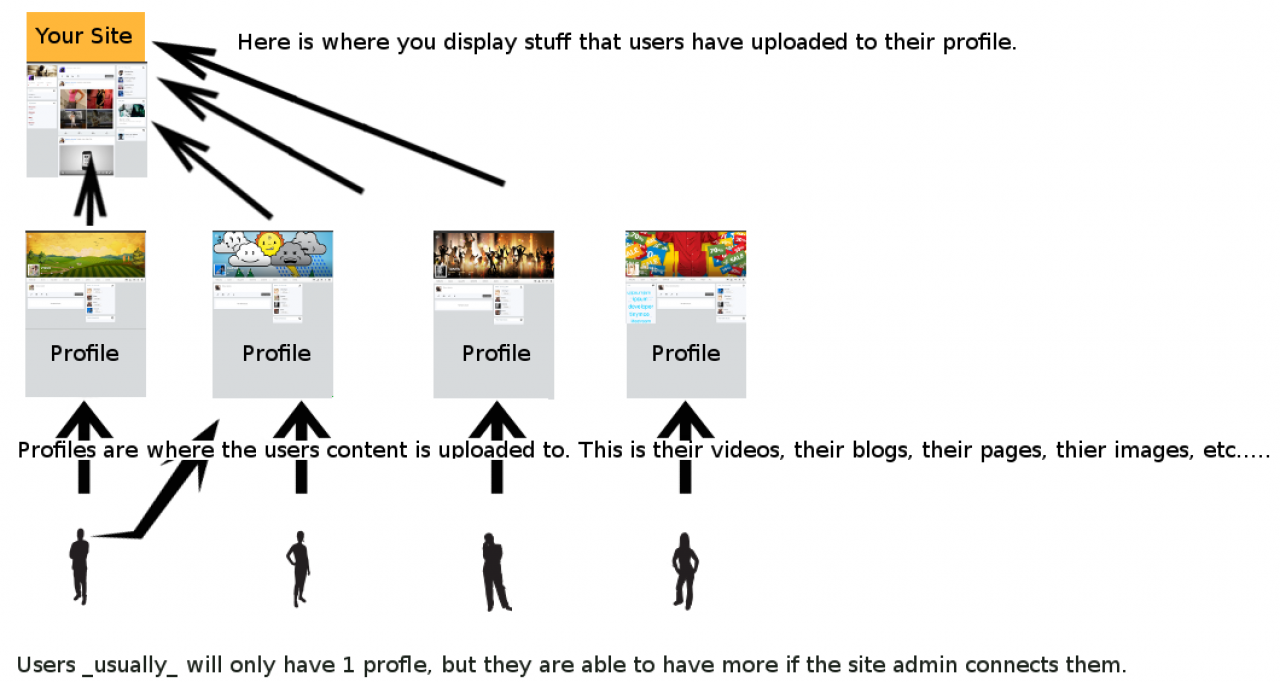
Users add content to profiles, and the skin shows that content on your site's pages.
-
-
Quotas
A quota decides what the profiles in it can do: which modules they can use, how many items they can create, and whether new items need approval. Every profile is in exactly one quota. A master admin can move a profile to another quota at any time, for example when a member starts a paid subscription.
A new Jamroom site has one quota, example quota, and every new member's profile goes into it. Rename it and add more in the Quota Browser: ACP > Modules > Profiles > Profiles > Tools > Quota Browser.
-
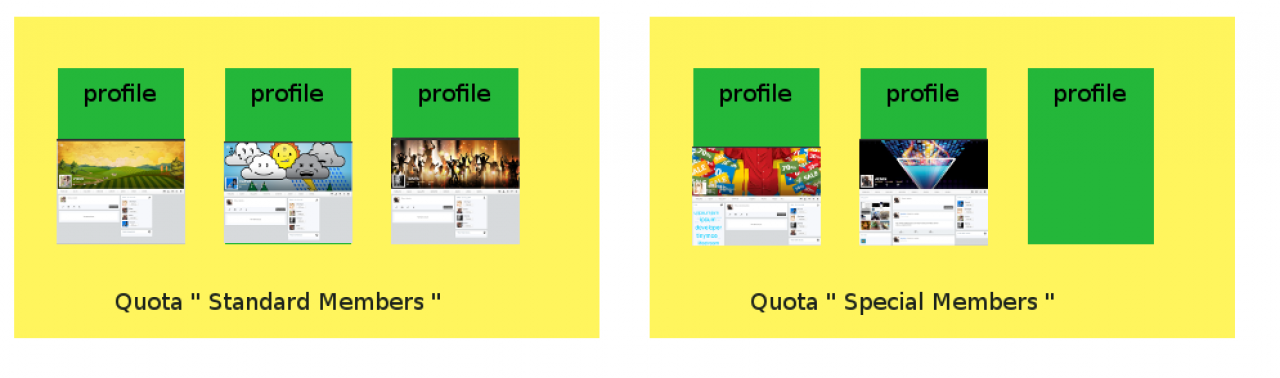
Profiles belong to one quota each. The quota sets which modules the profiles can use.
-
-
For example, a music site might have two quotas:
- Fans: a blog and photos.
- Artists: a blog, photos, audio uploads and a store.
Quotas have nothing to do with user accounts: they only change what a profile can do. Someone linked to a Fans profile and an Artists profile gets the Artists features on the Artists profile only.
-
Quota Config: turning a module on for a quota
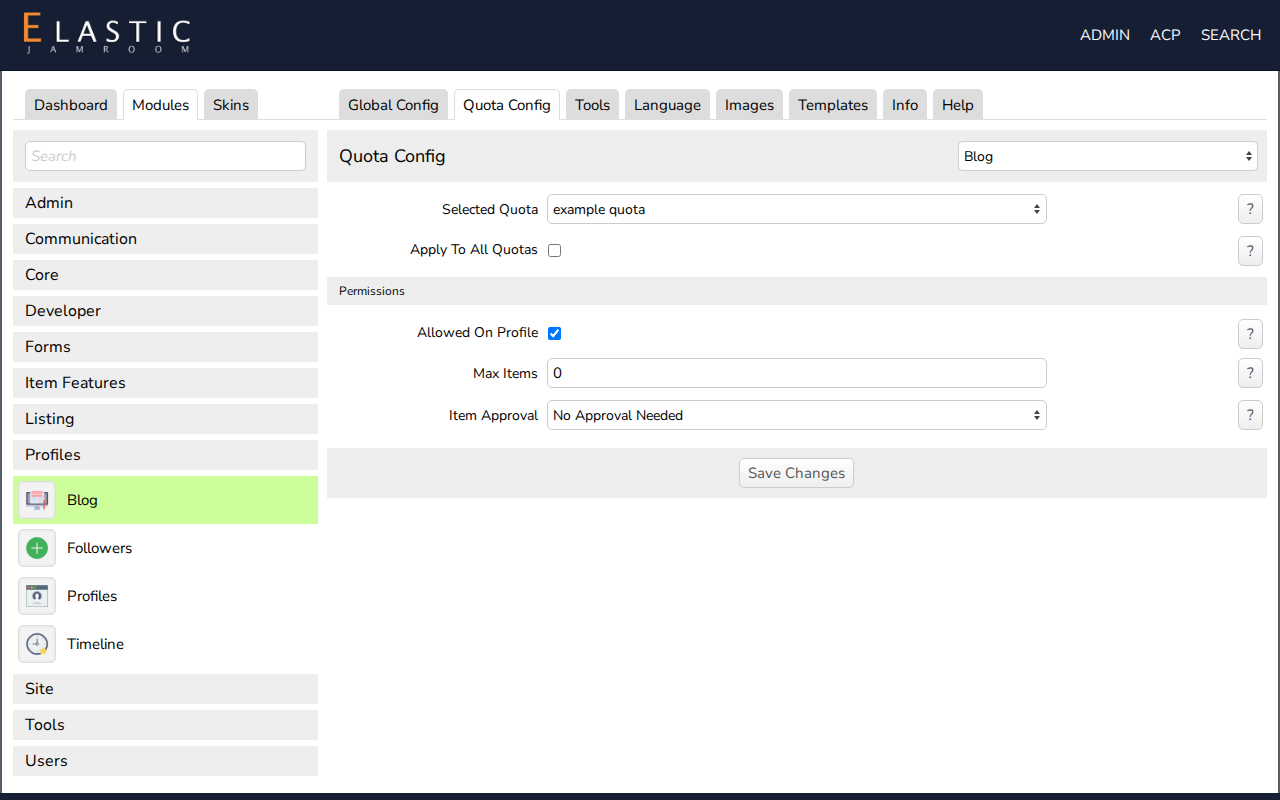
Every module that adds something to profiles has a Quota Config tab, for example ACP > Modules > Profiles > Blog > Quota Config.
- Choose the quota in Selected Quota.
- Check Allowed On Profile to give that quota's profiles the module, or uncheck it to take it away. The module's tab appears on, or disappears from, every profile in the quota.
- Set the module's other limits for the quota (for the Blog, Max Items and Item Approval) and click Save Changes.
Apply To All Quotas saves the same settings for every quota at once.
-
-
Modules and skins
A module adds a feature to your site. Install modules from the Marketplace, and set them up in two places:
- the module's Global Config tab: settings for the whole site
- its Quota Config tab: what each quota gets
A skin controls how the site looks. Only one skin is active at a time. You change it under ACP > Skins, and each skin has its own settings.
-
Site pages and profile pages
A Jamroom site has two kinds of pages:
- Profile pages belong to a profile and show its content. Members create these.
- Site pages, such as your home page, show content from across the whole site: newest members, latest uploads, a contact form. The skin provides these pages, and you add or change them with Site Builder (see the Site Builder chapter).