JAMROOM

Use a Different FFmpeg or Media Tool
Applies to: Jamroom 7.0+
Last verified: 2026-10-24
-
The media tools
Jamroom uses command-line tools to convert media:
Tool Used for ffmpegAudio and video conversion convertResizing animated GIFs soxAudio editing id3v2Reading and writing audio ID3 tags jpegoptimOptimizing JPEG images tifigConverting HEIC images to JPEG wgetDownloading from other web servers The System Tools module brings its own copy of each one, in
modules/jrSystemTools/tools/. -
How Jamroom picks a tool
With the default setting, Auto Detect, Jamroom looks for each tool in this order and uses the first one it finds:
/bin/usr/bin/usr/local/bin- its own copy in
modules/jrSystemTools/tools/
So if your server has its own
ffmpegin one of those places, Jamroom already uses it. -
Choosing a tool yourself
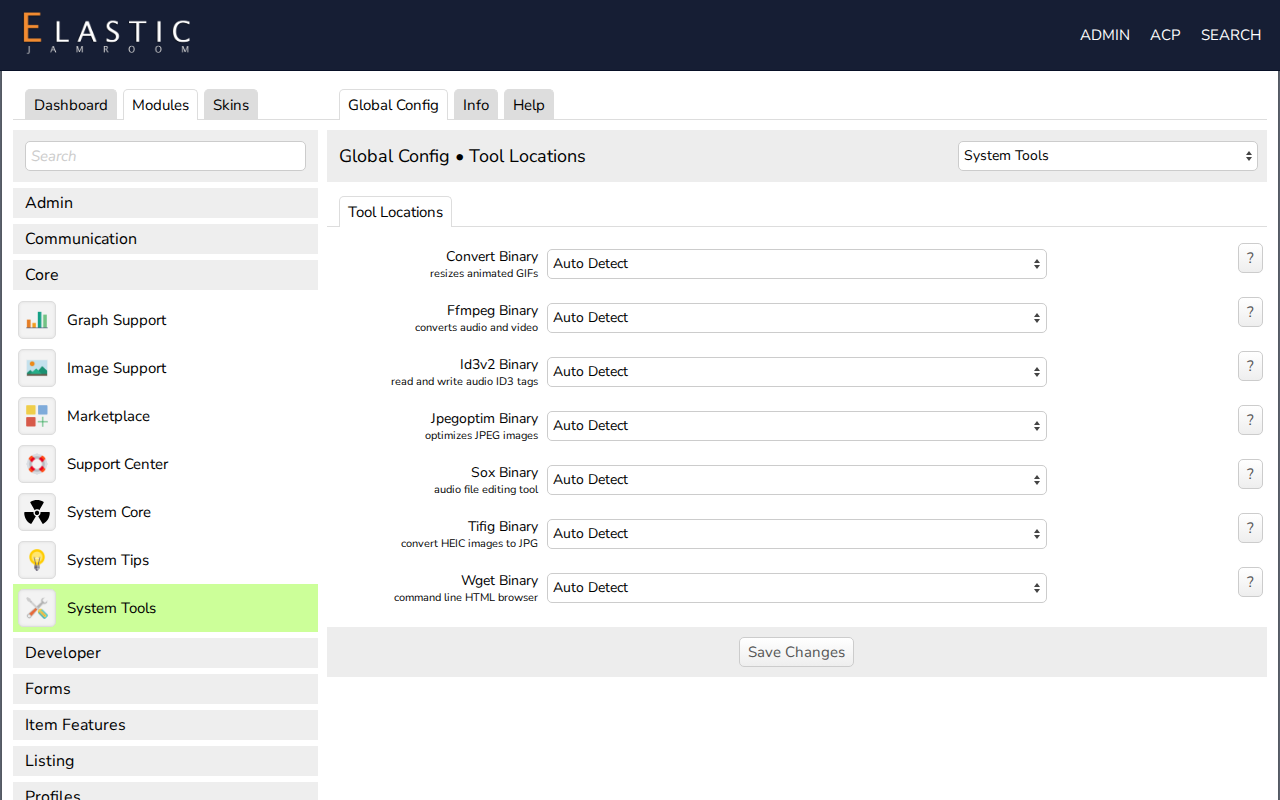
Open ACP > Modules > Core > System Tools > Global Config. The Tool Locations section has a setting for each tool: Ffmpeg Binary, Convert Binary, and so on. Each list offers Auto Detect and every working copy of the tool Jamroom found on the server, including in
/opt/homebrew/binon a Mac. Choose one and save.Then check the System Tools part of the System Check: each tool should report binary is working correctly.
-
If the System Check says binary is not executable, the file needs execute permission (755). See Server Requirements.