JAMROOM

Upload Limits
Applies to: Jamroom 7.0+
Last verified: 2026-10-24
-
Two limits
How large a file members can upload is limited in two places:
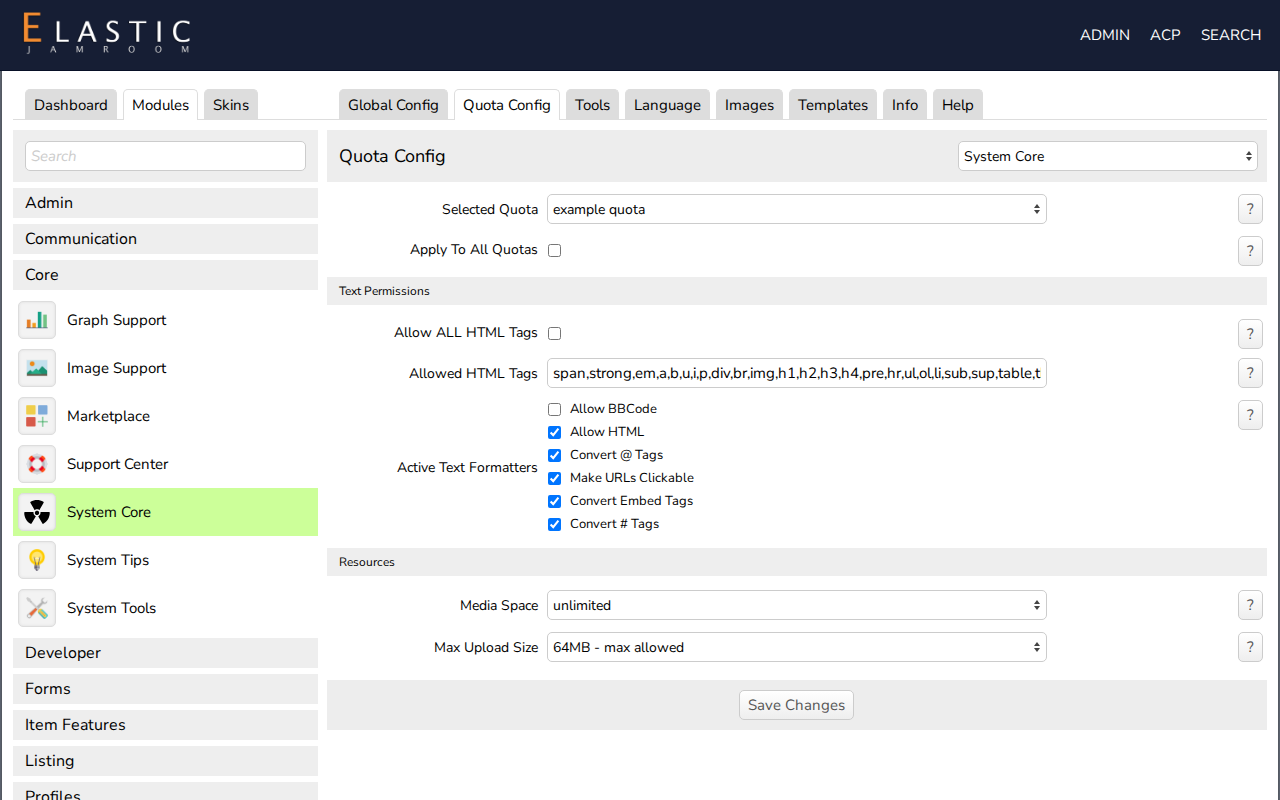
- Per quota, by you: Max Upload Size in ACP > Modules > Core > System Core > Quota Config. Next to it, Media Space limits the total disk space each profile can use.
- By the server's PHP settings. The largest size you can choose is marked max allowed in the Max Upload Size list.
-
-
How "max allowed" is worked out
Jamroom takes the smallest of:
- PHP's
upload_max_filesize - PHP's
post_max_size - half of PHP's
memory_limit
For example, with
upload_max_filesize = 64M,post_max_size = 64Mandmemory_limit = 512M, the maximum is 64 MB. To allow 512 MB uploads you needupload_max_filesizeandpost_max_sizeof at least512M, andmemory_limitof at least1024M.The System Check shows the current maximum as Max Upload.
- PHP's
-
Raising it
These are PHP settings (
php.ini, or your hosting control panel's PHP options). On most shared hosting you ask your host to change them. After changingphp.ini, restart the web server or PHP-FPM, then open the System Check to confirm the new Max Upload.Then raise Max Upload Size for the quotas that should get the larger limit.
-
On Nginx,
client_max_body_sizemust also be at least as large aspost_max_size. Otherwise large uploads fail with error 413.