JAMROOM

Delete a Module
Applies to: Jamroom 7.0+
Last verified: 2026-10-24
-
Deactivate, then delete
You can only delete a module that is inactive.
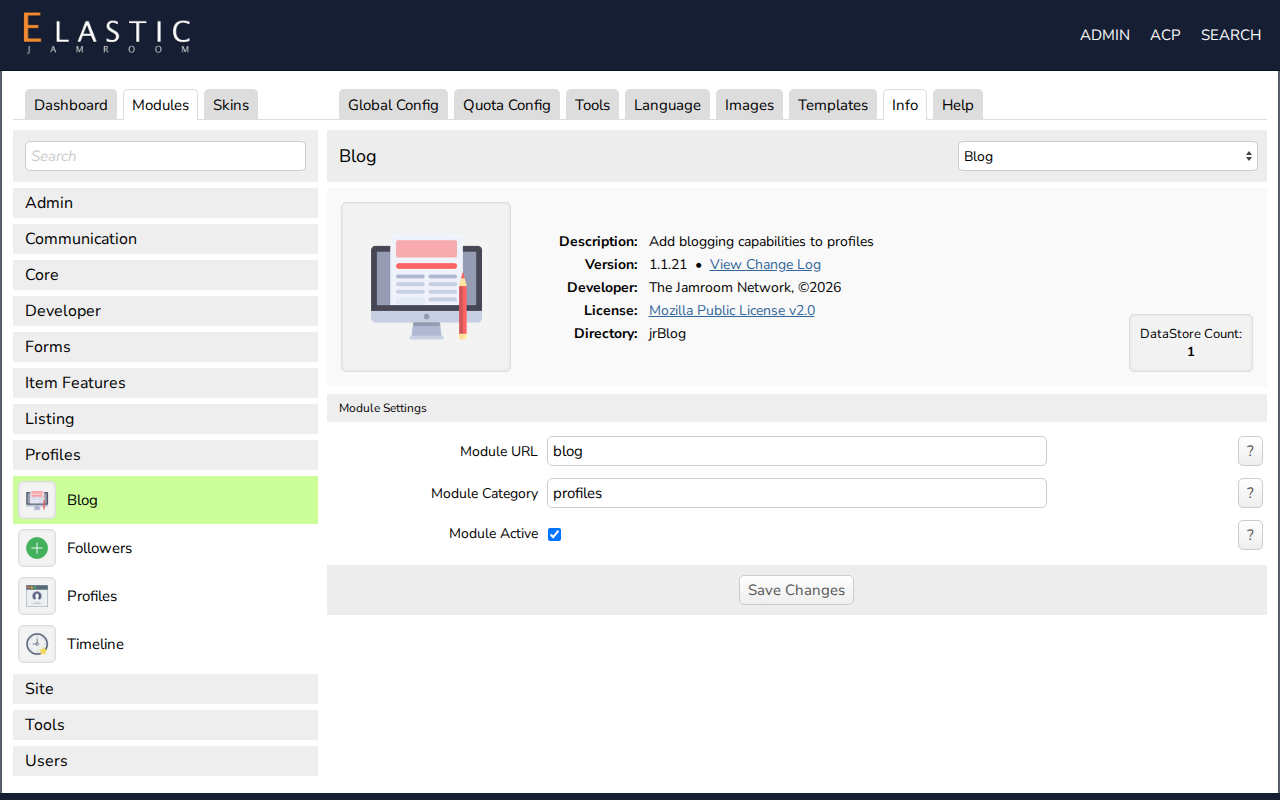
- Open the module's Info tab, for example ACP > Modules > Profiles > Blog > Info.
- Uncheck Module Active and click Save Changes.
- A delete module button now appears on the Info tab. Click it and confirm.
-
-
Deleting a module removes its files from your site. Deactivating it is enough to hide it: a deactivated module keeps its settings and items, and you can turn it back on later.
-
The delete button doesn't appear for core modules that are locked, or when the web server can't write to the module's directory.