JAMROOM

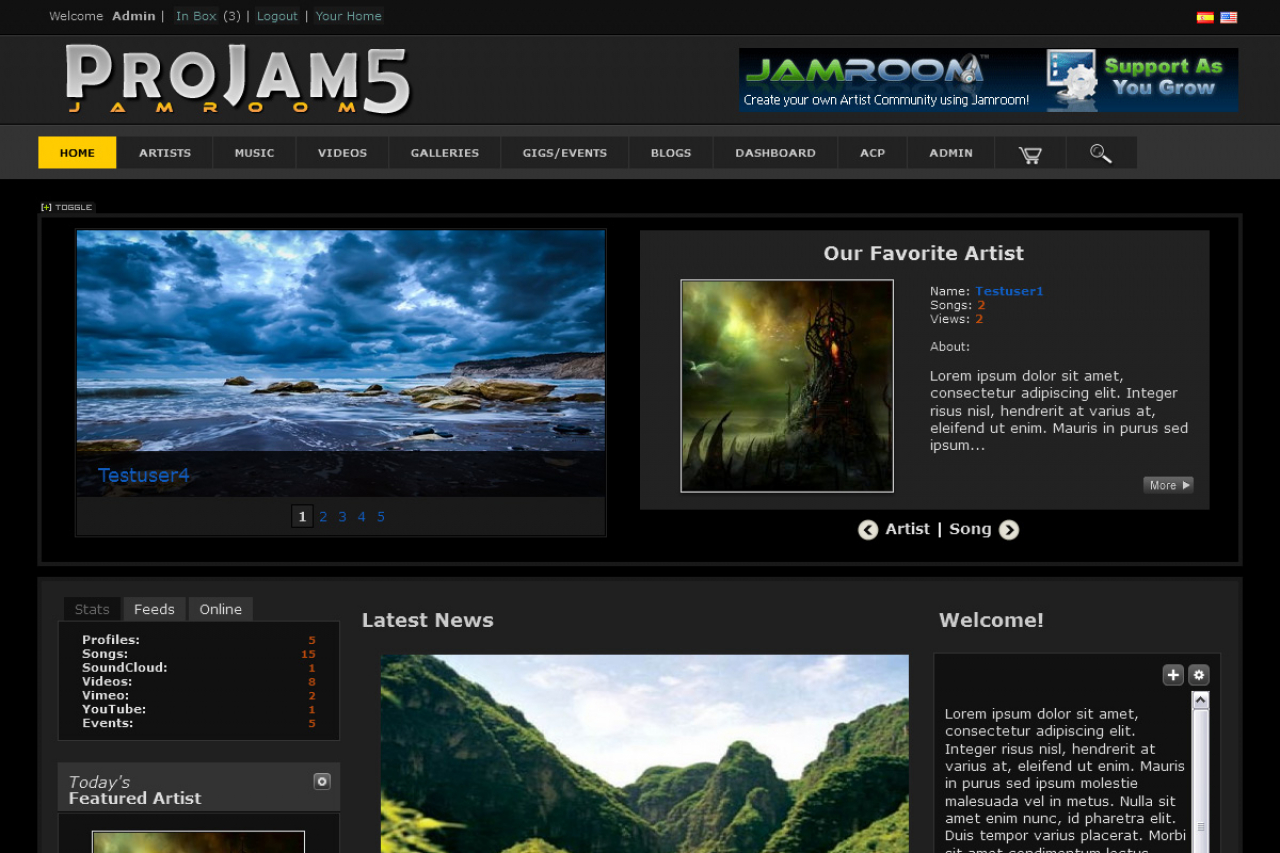
Pro Jam Dark
Applies to: Jamroom 7.0+
Last verified: 2026-10-24
-
What it's for
The dark version of Pro Jam Light: the same pages and settings, with a dark design.
Skin:
jrProJam, version 1.6.5 in the Marketplace. -
-
Installing it
Install it from the Marketplace (ACP > Marketplace), then activate it: ACP > Skins > (skin) > Info > Set As Active Skin. See Changing the Site Skin. Its settings are on the skin's Global Config tab.
-
Skin settings
- The same settings as Pro Jam Light: Main, Featured, Blog And News, Playlists, Ads, Extras, Profile, Social Networks and Players. The default player is the Black Overlay Player.
-
Modules it works with
The skin shows sections for these modules when they're installed: Audio, Video, Blog, Event Calendar, Playlists, Image Galleries, Comments, Page Creator, Advanced Charts, YouTube, Vimeo, SoundCloud, RSS Feed and Reader. Without a module, its sections don't show.
-
Tips
House Radio and House Channel are on by default. Until you enter a playlist title, they have nothing to play: create an admin playlist, or turn them off.