JAMROOM

ESkin
Applies to: Jamroom 7.0+
Last verified: 2026-10-24
-
What it's for
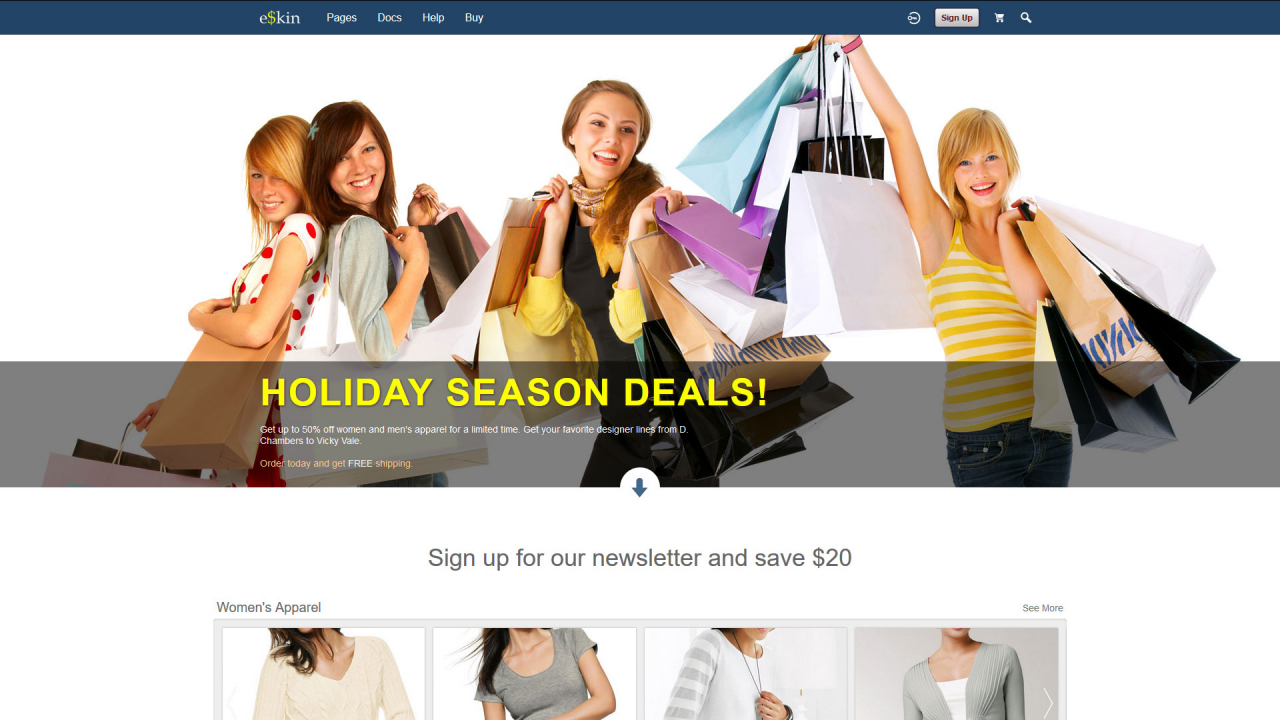
A shop skin: the home page sells products, with an overlay headline and five product lists.
Skin:
jrESkin, version 1.4.2 in the Marketplace. -
-
Installing it
Install it from the Marketplace (ACP > Marketplace), then activate it: ACP > Skins > (skin) > Info > Set As Active Skin. See Changing the Site Skin. Its settings are on the skin's Global Config tab.
-
Skin settings
- Headlines: the Main Headline and Main Text of the home page overlay, and Headline 2 to Headline 4 above the lists.
- List 1 to List 5: Active, the Category and Order (newest, oldest or alphabetical) of the products, and Override IDs to show chosen products.
- Misc: Auto Play starts players when they load. Bio Right shows the biography above the timeline on a profile's home page. Forum Profile URL links the site menu to your site forum. Profiles Show Followed shows profile owners the profiles they follow in their timeline. Show Profile Header (full, compact or minimal, default minimal) sets the profile header on profile pages other than the profile's home; Show Menu keeps the profile menu with the minimal header.
- Social Networks: your site's pages on Twitter, Facebook, Instagram, YouTube and LinkedIn. Their icons link there. Enter 0 to hide one.
-
Modules it works with
The skin shows sections for these modules when they're installed: Products, Event Calendar, Timeline, Audio, Video, Image Galleries, Forum, Groups, Polls, Blog, Item Ratings. Without a module, its sections don't show.
-
Tips
The home page lists come from the Products module (
jrProduct). Add products before you activate the skin.