JAMROOM

Fan Club
Applies to: Jamroom 7.0+
Last verified: 2026-10-24
-
What it's for
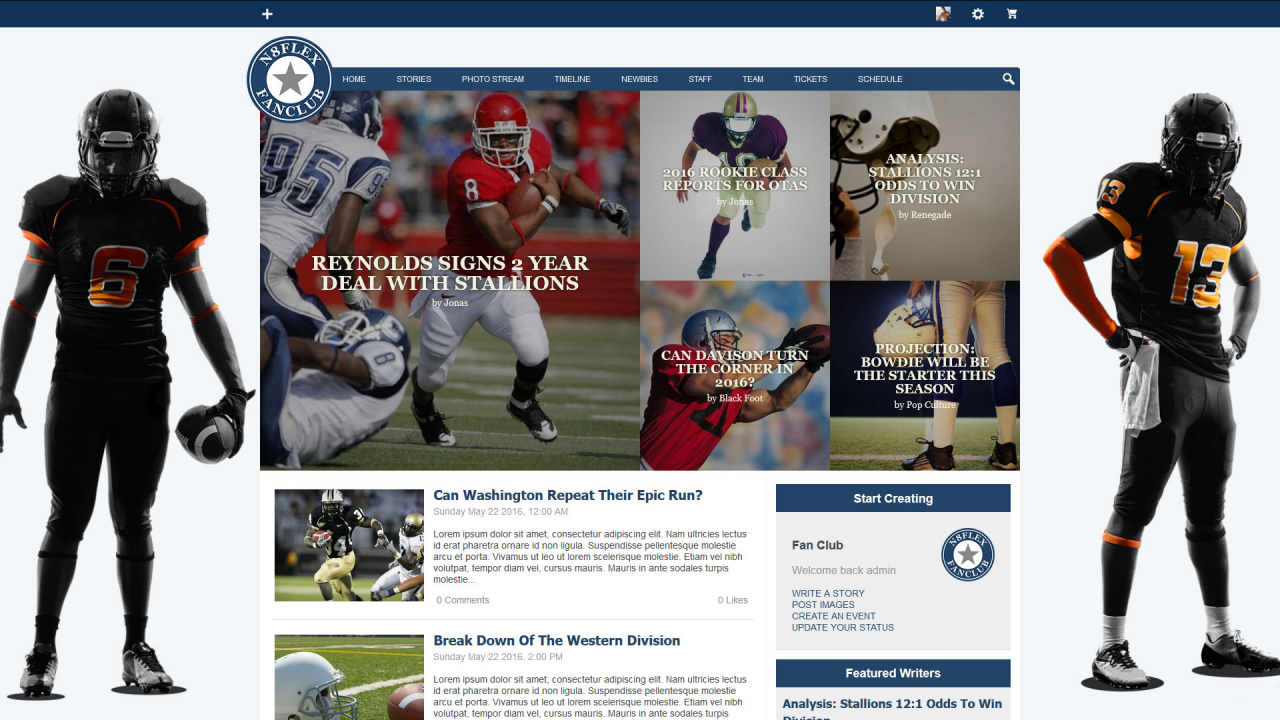
A news and magazine skin for a fan club: the home page and blog pages show featured stories by category.
Skin:
jrFanClub, version 1.3.12 in the Marketplace. -
-
Installing it
Install it from the Marketplace (ACP > Marketplace), then activate it: ACP > Skins > (skin) > Info > Set As Active Skin. See Changing the Site Skin. Its settings are on the skin's Global Config tab.
-
Skin settings
- Featured Stories: the Featured Stories (blog IDs) at the top of the blog index, one per category works best, and the Featured Order used when a category has more than one. The Sidebar settings choose the stories on the side of every blog page. Index Pagebreak and Profile Pagebreak (default 10) and Sidebar Limit (default 8) set how many show.
- List 1, List 2: two lists on the home page.
- General Settings and Misc: player and profile options.
- Social Networks: your site's pages on Twitter, Facebook, Instagram, YouTube and LinkedIn. Their icons link there.
-
Modules it works with
The skin shows sections for these modules when they're installed: Blog, Event Calendar, Timeline, Audio, Video, Image Galleries, Forum, Products, Groups, Polls, SoundCloud, Flickr. Without a module, its sections don't show.
-
Tips
The skin is built around blog posts in categories. Give your blog posts a category, and feature one per category.