daily limits
Using Jamroom
It looks like you have created a quota and named it "Visitors".
Mine looks like this:
{foreach from=$_items name="loop" item="entry"}
    {if SOMETHING}
        {if SOMETHING}
            SHOW THIS THING
        { OTHERWISE}
            SHOW THIS THING
        {/if}
    { OTHERWISE}
        SHOW THIS THING
    {/if}
{/foreach}
{foreach from=$_items name="loop" item="entry"}
    {if SOMETHING}
        {if SOMETHING}
            SHOW THIS THING ( position 1 )
        { OTHERWISE}
            SHOW THIS THING ( position 2 )
        {/if}
    { OTHERWISE}
        SHOW THIS THING ( position 3 )
    {/if}
{/foreach}
{if $entry.menu_label == "Private Messages"}
        THE CUSTOM CODE HERE
{/if}

<?php
/**
 * @copyright 2018 you.
 */

// make sure we are not being called directly
defined('APP_DIR') or exit();

/**
 * meta
 */
function xxPendingFollowers_meta(){
    $_tmp = array(
        'name'        => 'Pending Followers',
        'url'         => 'pendingfollowers',
        'version'     => '1.0.0',
        'developer'   => 'You ©' . strftime('%Y'),
        'description' => 'Adds a menu item',
        'category'    => 'custom',
        'license'     => 'jcl'
    );
    return $_tmp;
}


function xxPendingFollowers_init(){
    $_tmp = array(
        'group'    => 'user',
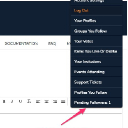
        'label'    =>  'Pending Followers'
        'url'      => 'followers',
        'function' => 'xxPendingFollowers_pending_count'
    );
    jrCore_register_module_feature('jrCore', 'skin_menu_item', 'xxPendingFollowers', 'pending_followers_link', $_tmp);
 return true;
}

function xxPendingFollowers_pending_count($_conf, $_user)
{
        $_sc = array(
            'search' => array(
                "_user_id = {$_user['_profile_id']}",
                "follow_active = 0",
            ),
            'skip_triggers'  => true,
            'privacy_check'  => false,
            'ignore_pending' => true,
            'return_count'   => true,
            'nocache'        => true,
            'limit'          => 100
        );
        $cnt = jrCore_db_search_items('jrFollowers', $_sc);
    if ($cnt && $cnt > 0) {
        return (int) $cnt;
    }
    return true;
}
{if jrUser_is_logged_in()}
<li><a href="{$jamroom_url}/{$_user.profile_url}/follow">Pending Followers: {jrCore_list module="jrFollower" search1="follow_profile_id = `$_user._profile_id`" search2="follow_active = 0" return_count=true no_cache=true}</a></li>
{/if}