JAMROOM

User Accounts
Applies to: Jamroom 7.0+
Last verified: 2026-10-24
Table of Contents:
The person behind the account
Admin options on an account
Power users
Linked profiles
-
The person behind the account
A user account is a person: their user name, email address and password. The user account logs in, writes comments and sends messages. The content they add goes on a profile (see Profiles). Key Concepts explains how the two fit together.
Members change their own account in Account Settings (in their user menu): photo, user name, email address, password and a few preferences.
-
Admin options on an account
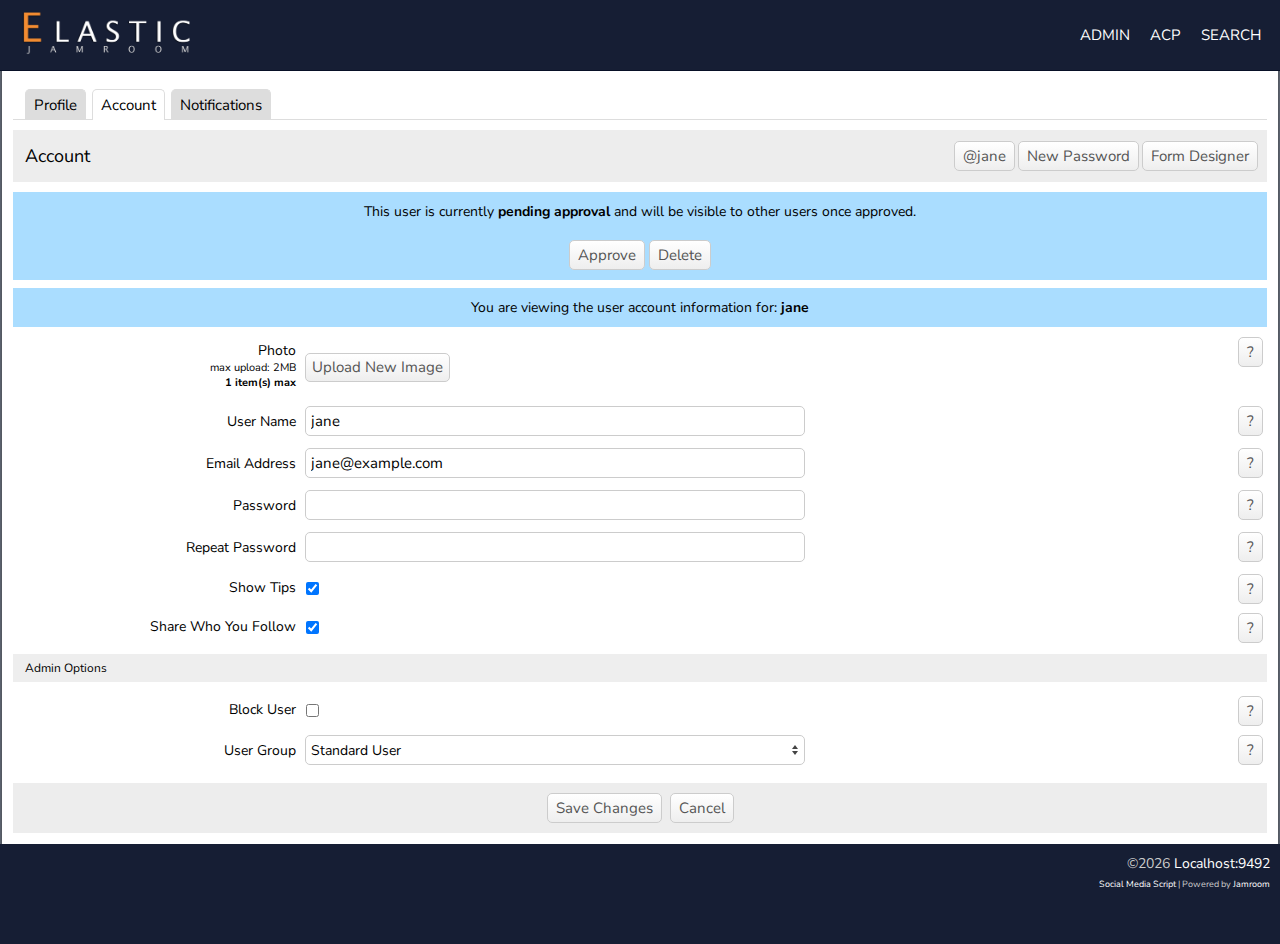
As master admin you can open any member's account: open their profile's settings page and click the Account tab. Below the member's own settings you get an Admin Options section:
- Block User: the account stays, but the user can't log in.
- User Group: how much the user can do on the site.
User Group Can do Standard User A normal user account: can change only the items they created themselves. Profile Admin Can change users, profiles and items created by any user, and has access to the Dashboard. Master Admin Full access to everything, including the ACP and the Dashboard. Make a user a Profile Admin if they help you moderate the site. They can approve pending items and change profiles, but they can't change site settings.
-
-
Power users
A power user is a standard user who can create more than one profile, for example a manager with a profile for each artist. Unlike a Profile Admin, a power user can only change their own profiles.
Power users are set per quota, in ACP > Modules > Users > Users > Quota Config:
- Power User Enabled: users whose profile is in this quota are power users.
- Max Profiles: how many profiles each one can create.
- Allowed Quotas: the quotas their new profiles can be in.
Power users then get a create new profile button on their profile.
-
Linked profiles
A user account can also be linked to profiles it didn't create. See Link a User Account to Multiple Profiles.