JAMROOM

Profiles
Applies to: Jamroom 7.0+
Last verified: 2026-10-24
-
What a profile is
A profile is a member's public section of your site, for example
example.com/jane. Everything a member adds goes on a profile: blog posts, audio, photos and so on. When someone signs up, they get a user account and a profile with the same name. Either name can be changed later.Which sections a profile has (Blog, Audio, Forum, ...) depends on its quota: a module's section only shows on profiles in quotas where it's allowed (see Quotas). Key Concepts explains profiles, user accounts and quotas together.
-
Profile settings
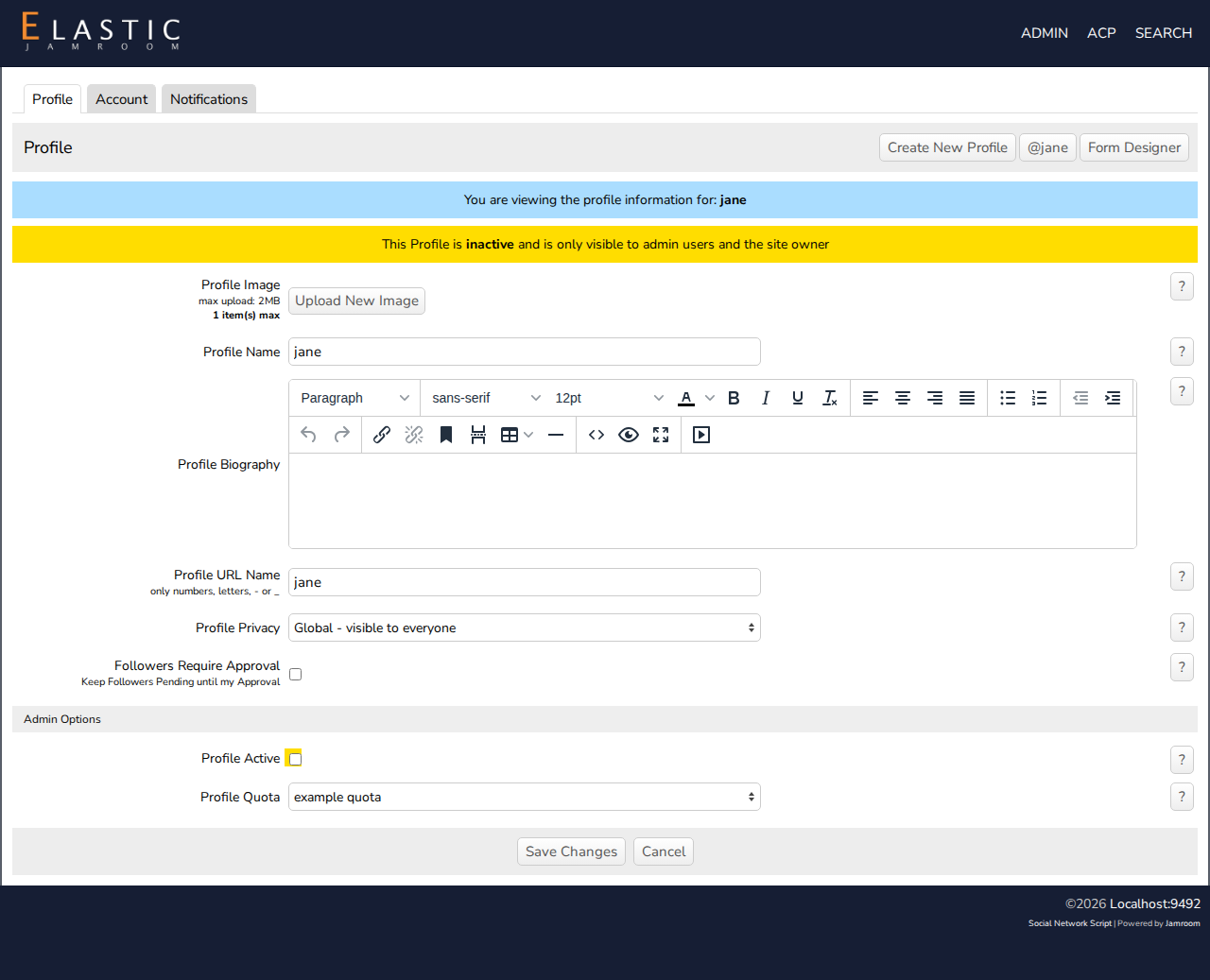
The profile's owner changes it on its Profile settings page (in the user menu, or the profile's settings button):
- Profile Image, Profile Name and Profile Biography
- Profile URL Name: the profile's address
- Profile Privacy: who can see the profile
- Private: profile owners only
- Global: visible to everyone
- Shared: profile owners and followers only
- Shared (profile visible in search): the same, but the profile can be found in search
- Followers Require Approval: new followers wait for the owner's approval.
The default privacy for new profiles is set per quota with Default Profile Privacy in ACP > Modules > Profiles > Profiles > Quota Config.
-
Admin options
Admins see an Admin Options section on every profile's settings page:
- Profile Active: an inactive profile is only visible to admins and its owner.
- Profile Quota: moves the profile to another quota.
-
-
Creating a profile
- From the ACP: ACP > Modules > Profiles > Profiles > Tools > Create New Profile creates a profile that no user account is linked to yet. You can link one later (see Link a User Account to Multiple Profiles).
- From a profile: admins and power users see a create new profile button on profiles. The new profile belongs to the user who creates it.