JAMROOM

Modules
Applies to: Jamroom 7.0+
Last verified: 2026-10-24
-
What a module is
A module adds a feature to Jamroom. Blog, Audio, Forum, Comments, Search, Site Builder and the Marketplace are all modules. Install the ones your site needs from the Marketplace. Installing modules you don't use only adds settings to look after.
Each installed module has its own entry in the ACP, under one of the categories in ACP > Modules (see The Admin Control Panel). Use the Search box above the categories if you can't find one.
-
Two kinds of settings
Most modules are set up in two places:
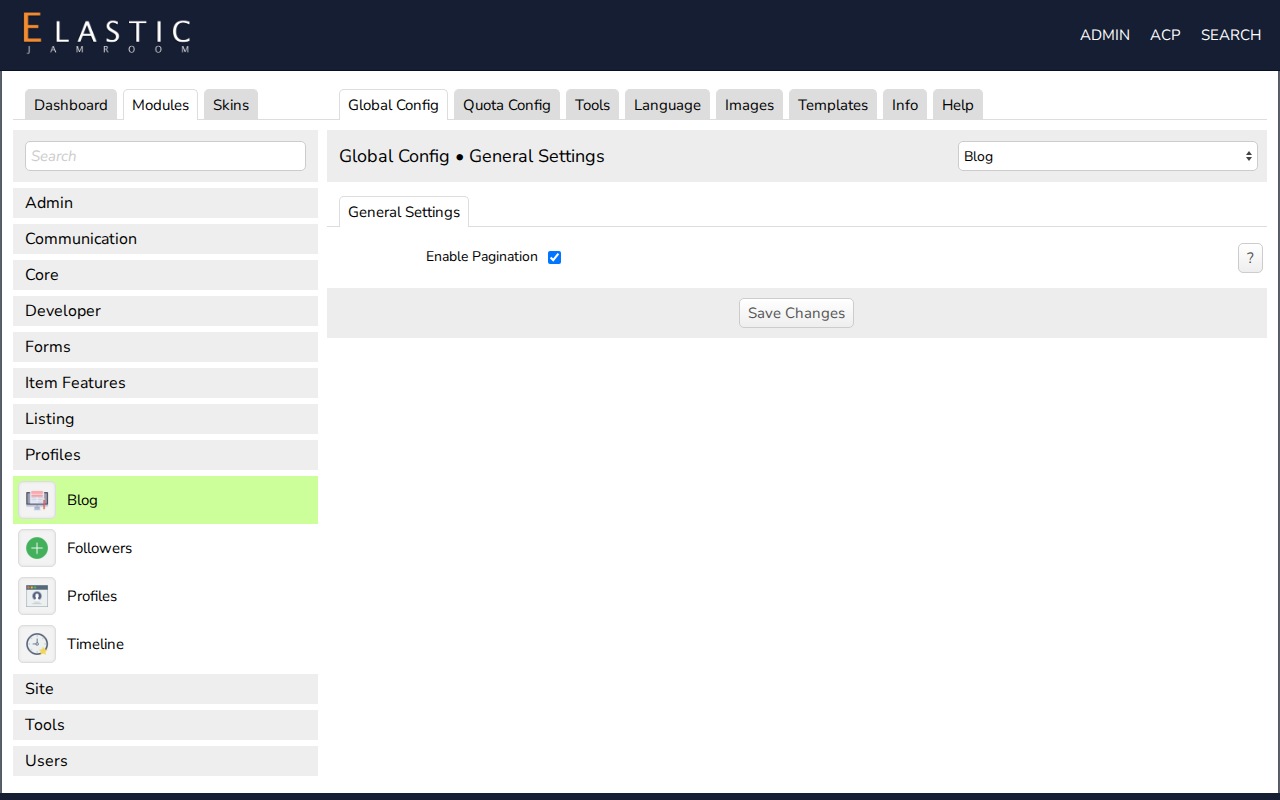
- Global Config: settings that apply to the whole site. For example, the Blog module's Enable Pagination, or the API key a YouTube module needs. Modules with many settings split this tab into sections, as System Core does (General, Caching, Date And Time, Activity Log, ...).
- Quota Config: settings per quota. Most important is Allowed On Profile: a module that adds a section to profiles (Blog, Audio, Forum) only shows on profiles in quotas where it's allowed. Choose the quota in Selected Quota, or check Apply To All Quotas to save the same settings for every quota.
To see the Quota Config settings of every quota side by side, use ACP > Modules > Profiles > Profiles > Tools > Quota Compare.
-
-
Other tabs
- Tools: the module's admin tools. Tools added by other modules appear here too. For example, Batch Edit Items (from the Batch Item Editor module) shows on every module that has items.
- Language: the text the module shows. Change the wording here, or translate it (see Translate Jamroom into another Language).
- Images: replace the module's images with your own (see Module and Skin Images Tab).
- Templates: change the HTML of the module's pages (see Customizing Your Skin).
- Info: version, change log, license, and the Module Active switch.
-
Related
- Install a Module
- Delete a Module
- The Module Reference has a page for each module.